QR✓OK Connect your venueConnect

A café without POS software: the bill by QR, right from the waiter's phone

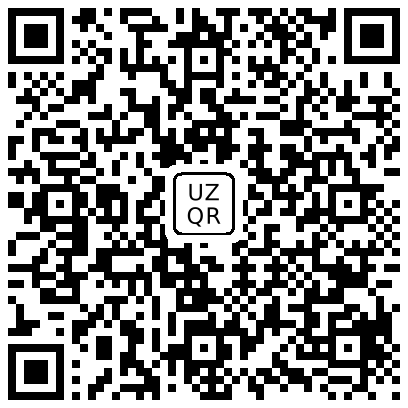
No Poster, iiko or other POS — no problem. The waiter types the amount in Telegram, the guest scans the UzQR code off the screen and pays in Click, Payme or any bank's app. Under the payment code, a tips code for the waiter.

The pre-bill as it is now, even handwritten
The waiter types the sum in Telegram
Laylak CoffeeBill E12 · table 5
220 000 UZS
UzQR code for 220,000 UZS

ClickPaymeScan in Click, Payme or any bank app

Waiting for the payment…
Tips code for the waiter
Tips for the waiterWith the phone camera
The guest scans the code off the screen and pays; tips below

How it works

  1. The waiter types the amount. In the @qrokuzbot bot → «My page» → «Bill by QR on screen»: the amount and, if needed, the table.
  2. The guest scans the code off the screen. The waiter's phone shows a large UzQR code with that amount and a bill number. The guest scans it in Click, Payme or their bank's app, the amount already filled in.
  3. Under it, tips. The second code opens the waiter's page: suggestions from the bill and a transfer to their card.
  4. The waiter sees the payment. When the bank sends its notice, «Paid» appears on the screen. Paid in cash or by card at a terminal? One button.

What the venue needs

What it gives you

The exact amountThe guest types no digits — no underpayments, no mistakes.
Fast checkoutNo terminal to carry, no change to wait for: the code is ready in seconds.
Tips without cashA guest without cash can still thank the waiter.
You see what is paidThe waiter and the manager see QR payments in Telegram.

What it is not

This is not POS software. There is no menu, no orders, no kitchen tickets and no fiscal receipt — the venue issues the fiscal receipt as it does now.

Leave a request Message us on Telegram

Questions

How much does it cost?
We are in a pilot now: everything is free. On top of that, each point pays nothing for the month in which its first pre-bill is printed and for the whole of the next month. We give at least 30 days' notice before billing starts. Bill payment by UzQR stays free; tips follow the pricing.
Does it need the internet?
Yes, the waiter's phone needs the internet to show the code and get the payment mark. The guest needs it to pay in the app, as with any QR payment.
Can we skip tips?
Yes. The tips code can be left out — only the UzQR bill payment remains.
How fast is the connection?
Leave a request: we check the UzQR code, switch on «Bill by QR on screen» and send the waiters invitations to the bot. Usually the same day.