 QR✓OK
Connect your venueConnect
QR✓OK
Connect your venueConnect
Help › For waiters › Guide
The pre-bill now carries two codes. The lower one is your tips: the guest scans it and sends money straight to your card. Neither the venue nor we take anything from it.
/card command. The bot asks for the number — send the 16 digits. Tips will arrive on this card./photo command. The bot asks for a photo — it appears on your page. Guests tip a real person more often./goal command. Write what you are saving for, for example English lessons. Guests see it./click command. If you have a personal transfer link in the Click app, send it: a guest in Click then tips you in one tap. How to find the link in Click and send it to the bot, step by step.The easiest way is the panel: /me opens it, with the buttons «Card», «Goal», «Photo», «Click» and «How guests see it». The commands are also in the menu left of the message field. You can change the card, photo or goal at any time. Anything you write to the bot without a command comes to us — we will reply.
All of this is also on one page — the «My page» button in the bot.
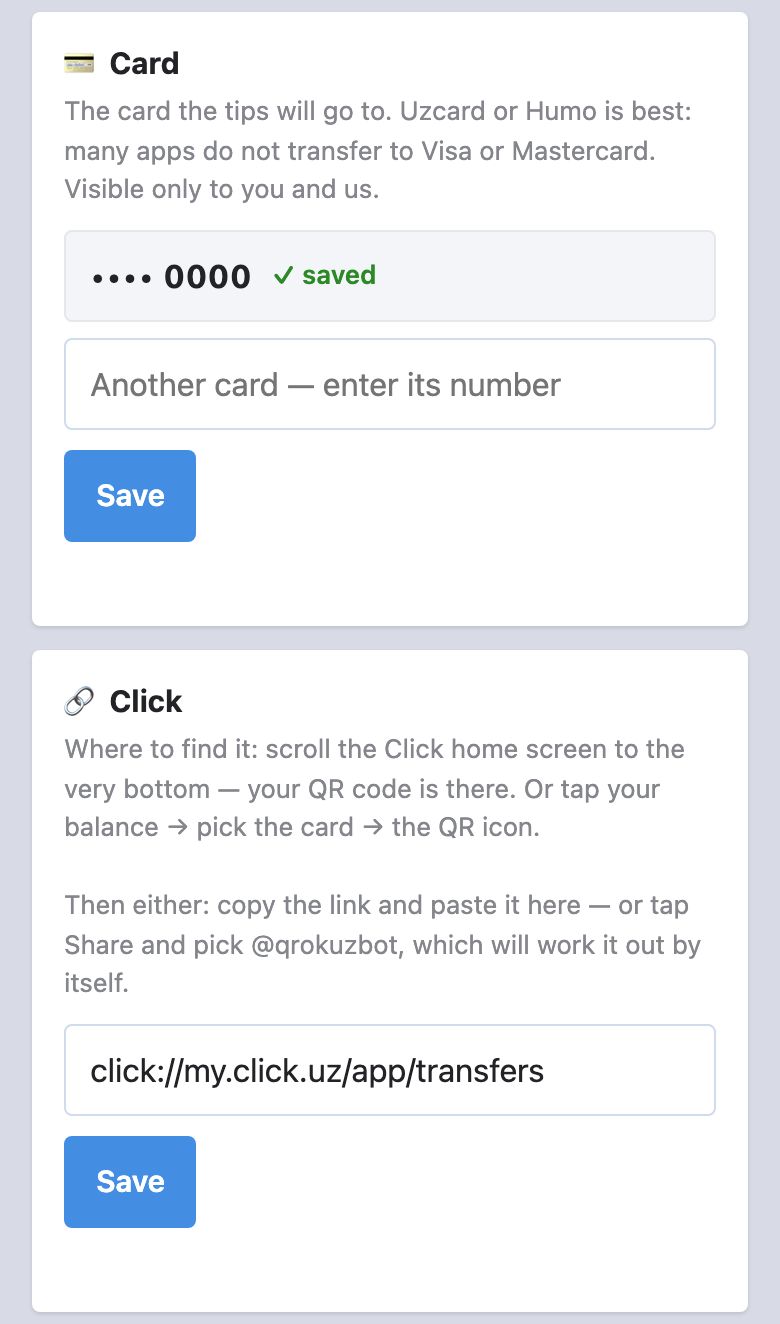
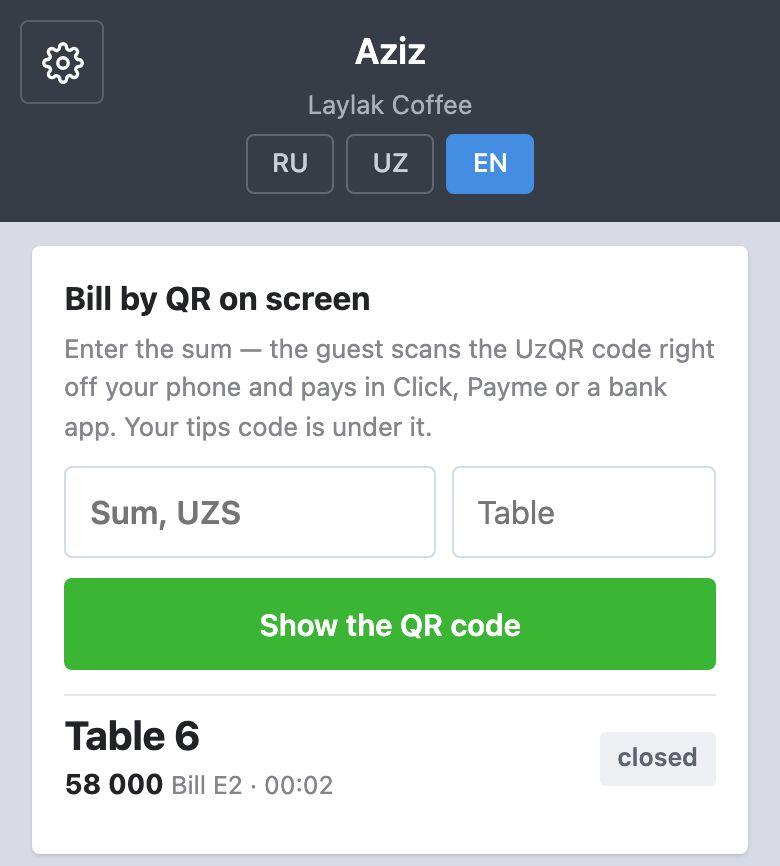
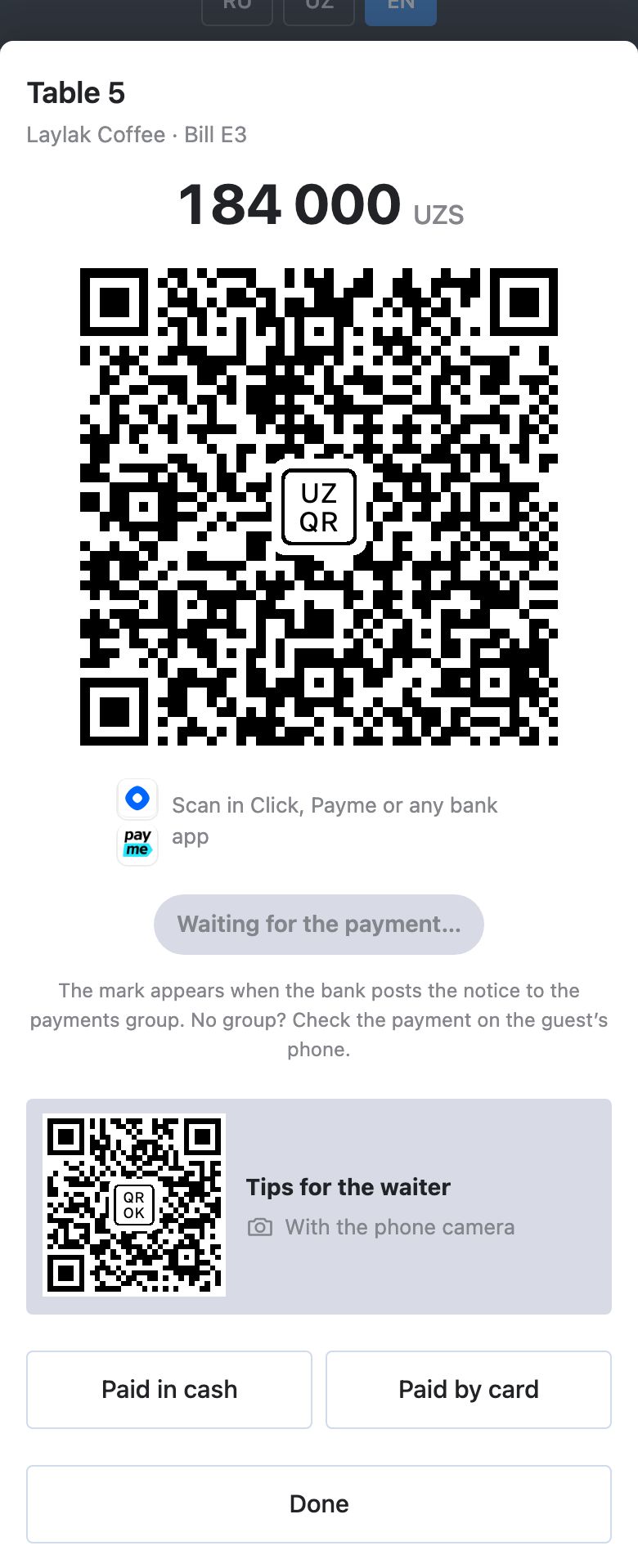
Waiter on a smartphone. At Poster venues the same page can open an order, add dishes, send them to the kitchen and print the pre-bill, if this is switched on for you. How it works.
When you hand over the pre-bill, say one sentence and point at the payment code. Without it guests usually put the pre-bill aside unread.
“You can pay by QR here — with any banking app.”
No need to mention tips: the guest sees the second code, with its caption, on the pre-bill and decides alone. If they ask what it is:
“That one is for a tip, if you like.”
The code does not open, the page shows someone else's name or the wrong card — write to the bot @qrokuzbot and we will reply. If you leave the venue, the manager switches your page off.