 QR✓OK
Connect your venueConnect
Laylak Coffee is a coffee shop that does not exist: we made it up to show the service without passing off someone else's receipt as an example. Everything else is real: this is what the pre-bill looks like, and these are the very screens a guest of a connected venue gets.
The waiter brings the pre-bill and says one sentence: “You can pay by QR here — with any banking app.” The pre-bill carries two codes: the upper one pays the bill by UzQR, the lower one opens the waiter's tips page.
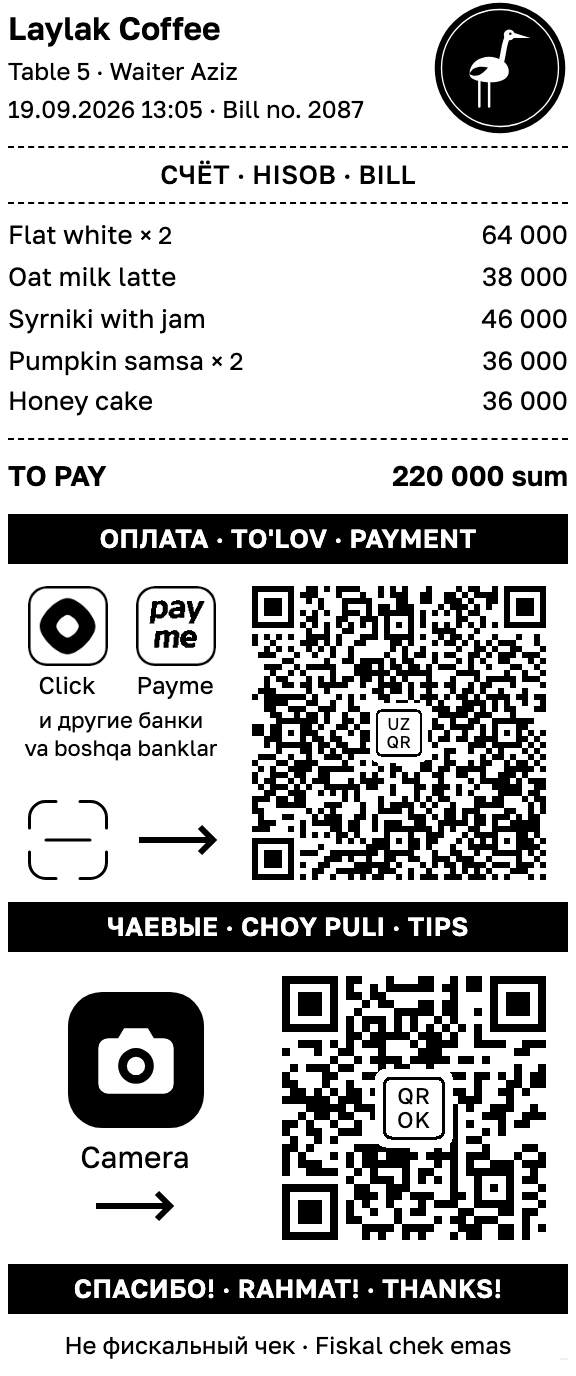
The guest scans the top code with the camera or a banking app's scanner and sees the payment ready to go: the venue's name, the bill number and the amount from the pre-bill. Nothing to type in, only to confirm. This is how paying this pre-bill looks in three apps:
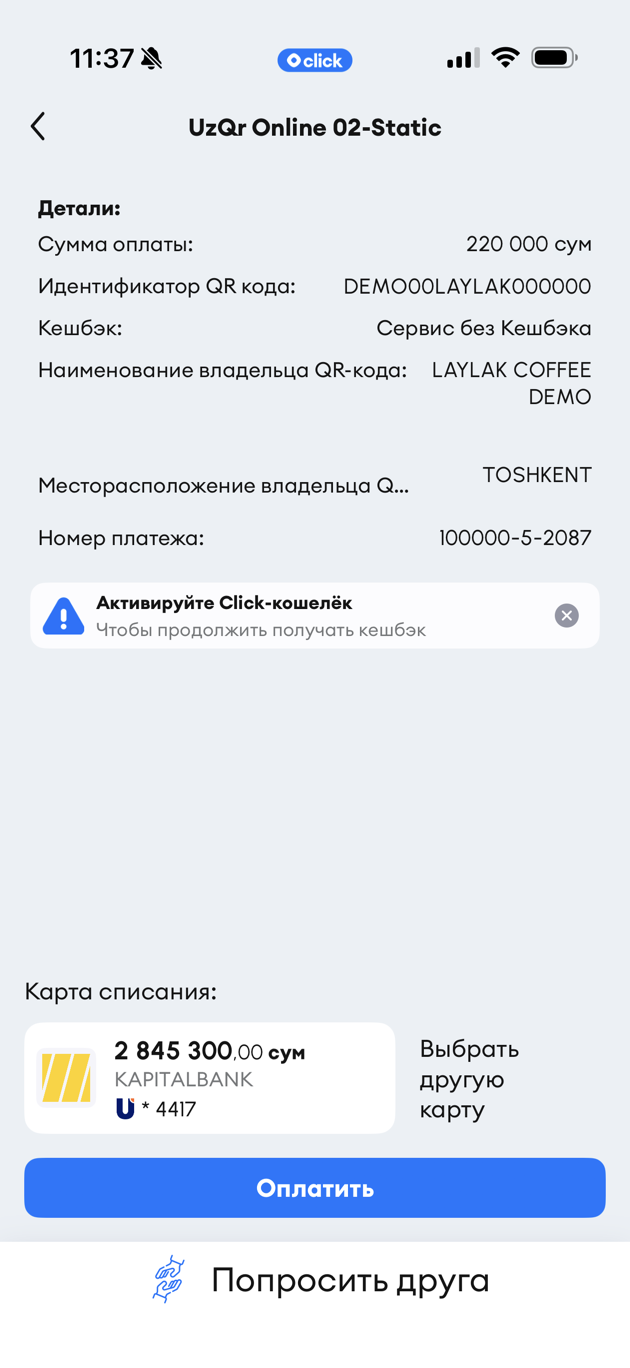
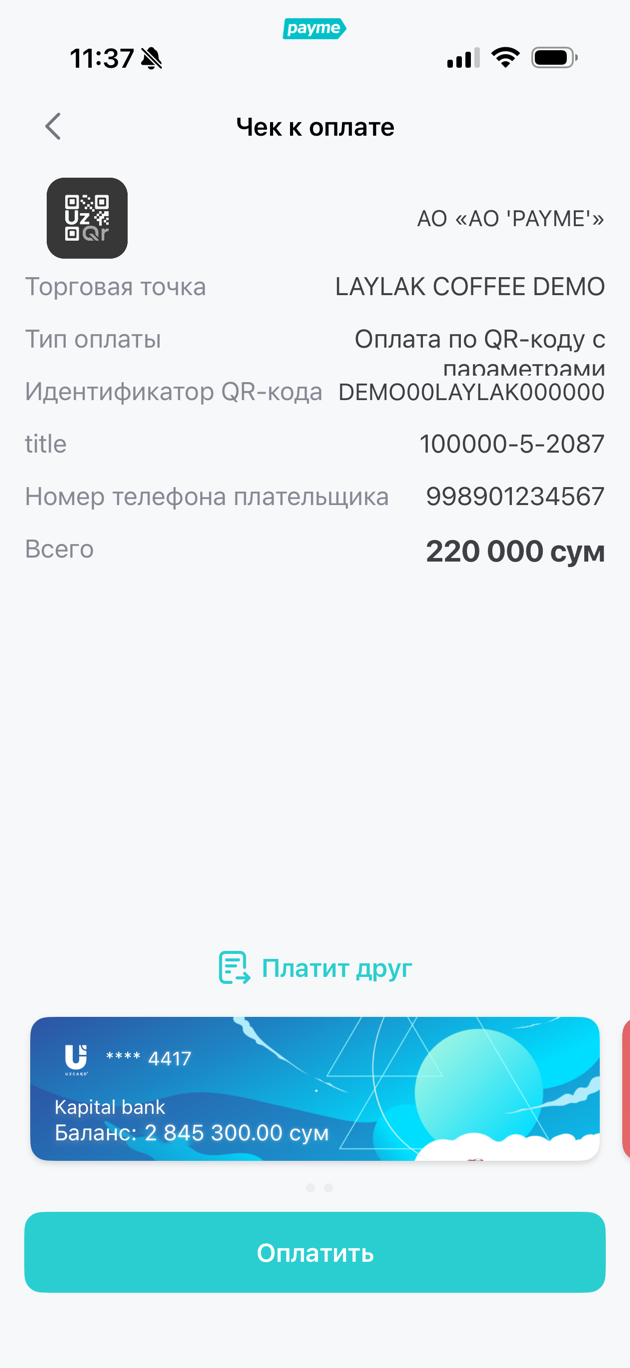
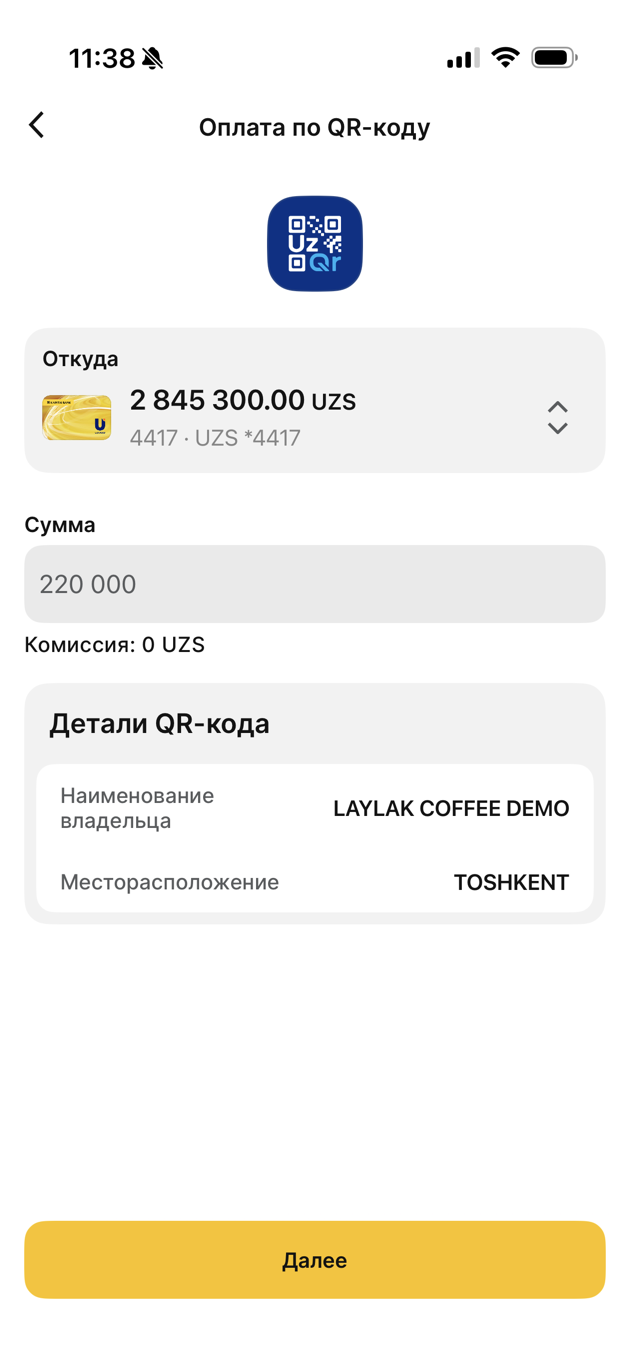
The payment number 100000-5-2087 is the venue, the table and the bill number: it shows which pre-bill was paid. None of the apps charges the guest a fee.
The guest opens the lower code with the phone camera and lands on their waiter's page. Here it is: open it with your camera from the pre-bill above, or tap right here — the screen is live.
The screen wears the venue's colors and logo, not ours: the guest stays "inside" the coffee shop. The tip is worked out from the bill, and the transfer goes from the guest's card straight to the waiter's. We take no part in it and no commission.
Back from the banking app, the guest sees a thank-you screen. A happy guest is invited to leave a review on Yandex Maps, an unhappy one to write to the manager: that note reaches the venue in Telegram, not a public rating.
«My page» in the Telegram bot @qrokuzbot: the waiter sets the card and the Click link the tips go to, the name guests see and the goal they are saving for.
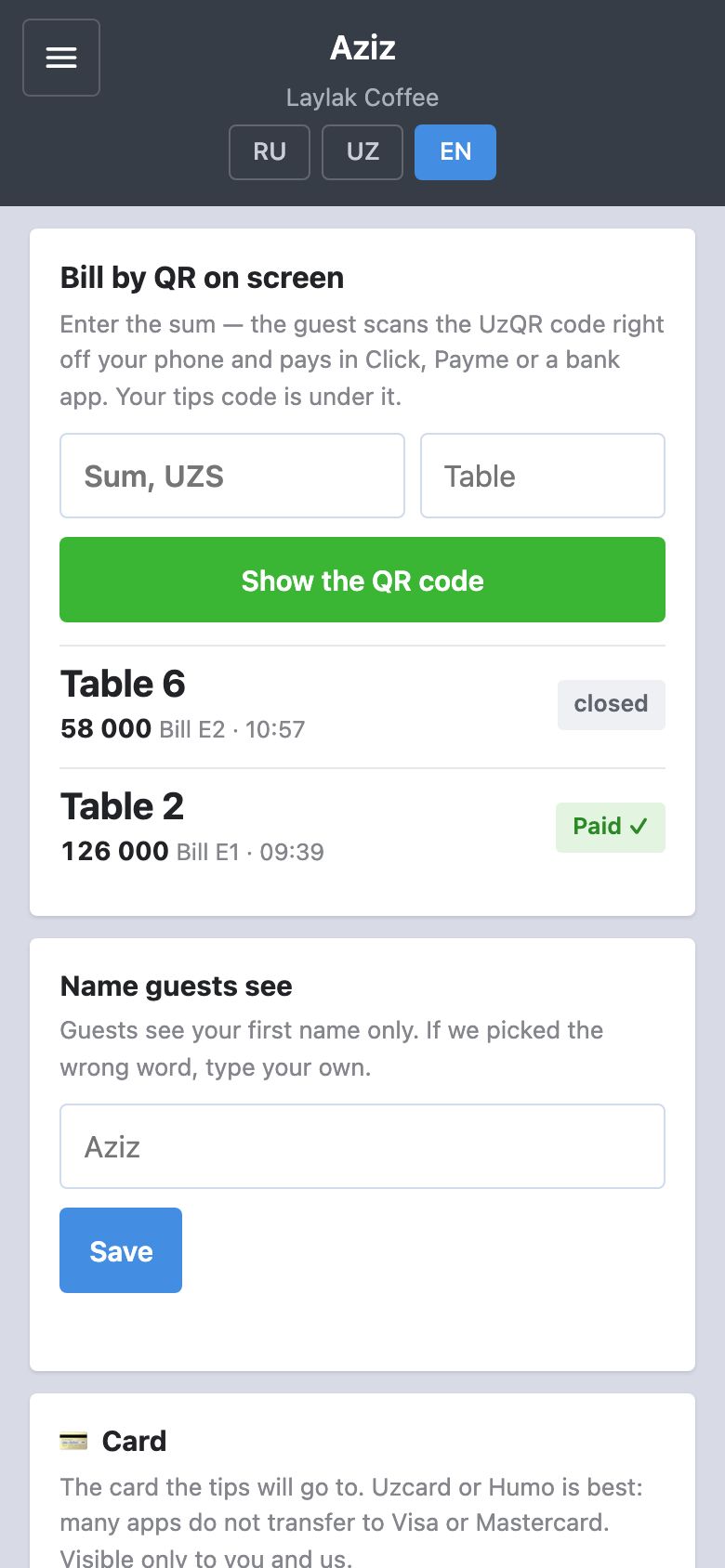
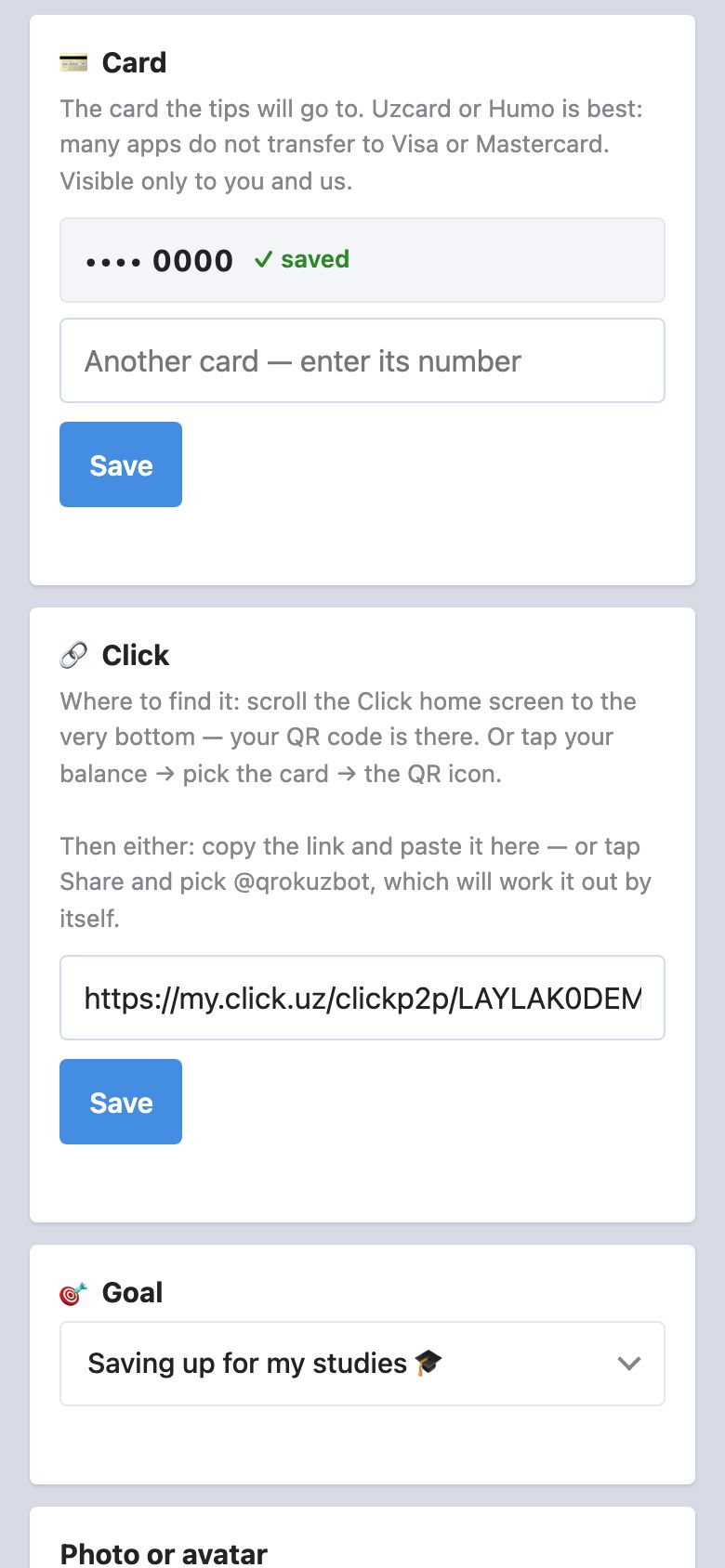
Why a waiter should give their own Click link: with it a guest sends a tip in 4 steps, without it in 7, and at every extra step some guests put the transfer off. More
Out of paper, a frozen printer, or the pre-bill just did not come out — the guest still pays by QR. The waiter opens the table’s order on their phone, in «Orders», and taps «QR»: the screen shows the same two codes as the pre-bill, with the sum from the register. The guest scans the top one with a banking app right off the screen, and the bottom one with the camera to leave a tip.
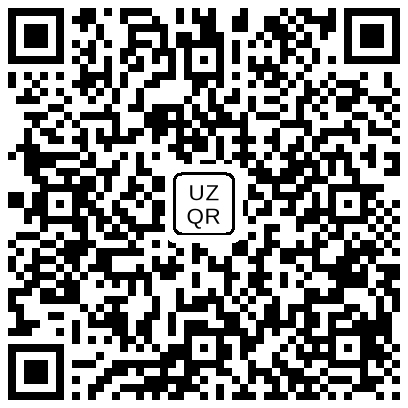

 Scan in Click, Payme or any bank app
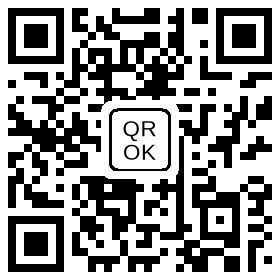
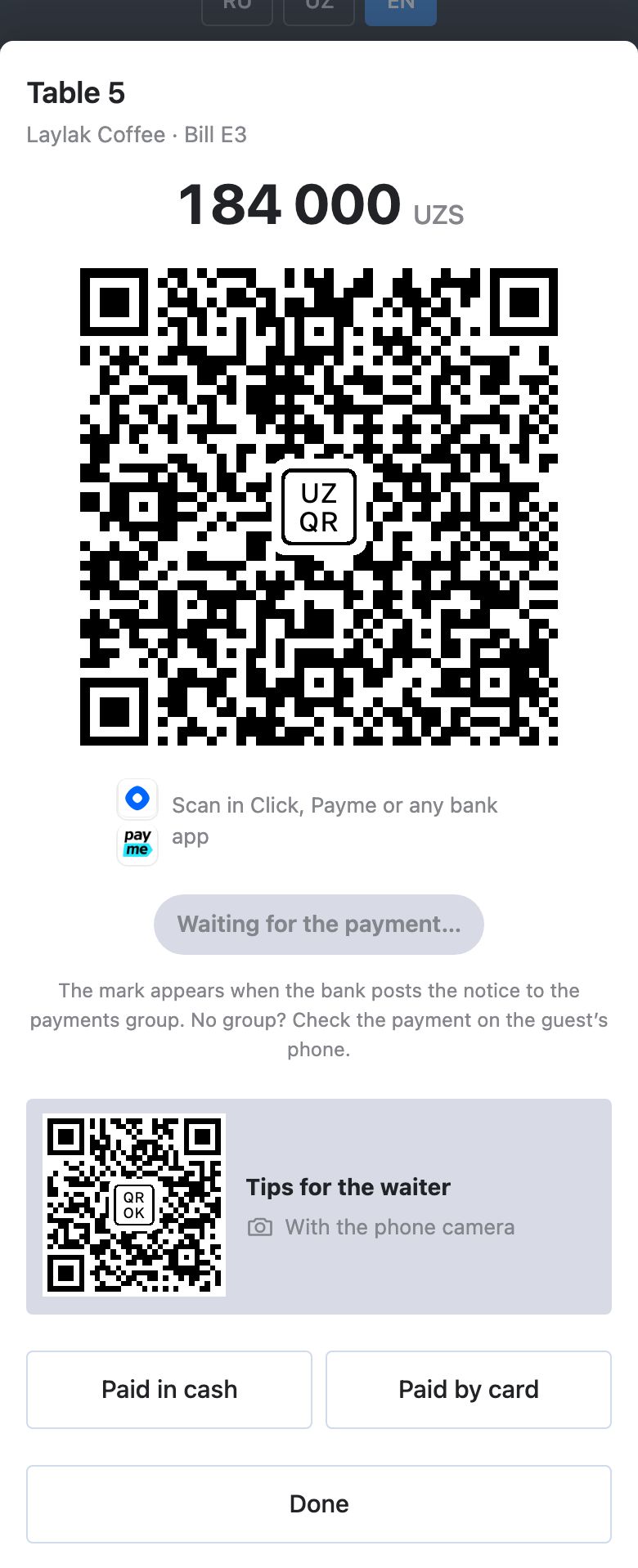
Once the bank reports the payment, the screen shows «Paid ✓». On iiko, r_keeper or with no register, the waiter opens «Bill by QR on screen» in «My page»: types the sum and the table, and the phone shows the same two codes — how that works.
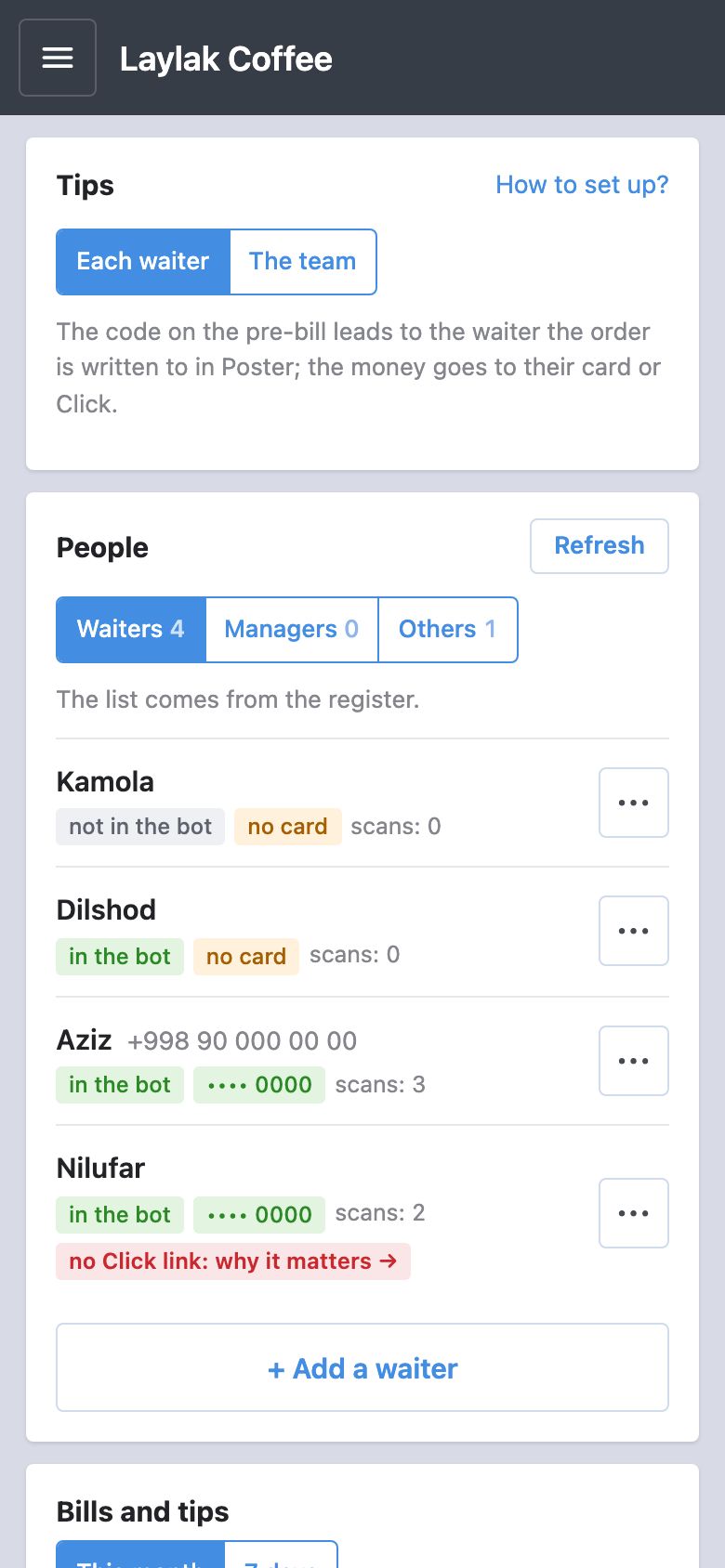
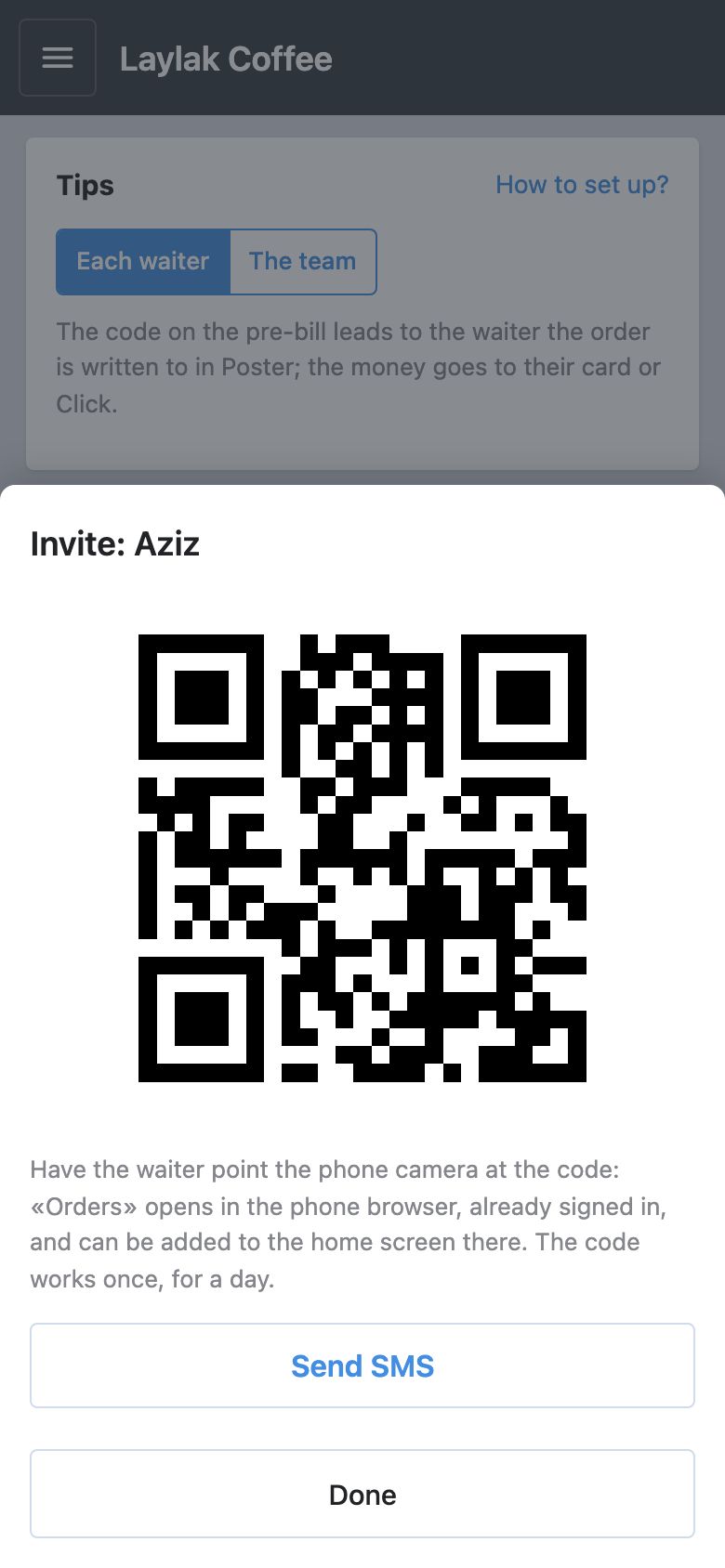
A manager opens the cabinet from the Telegram bot @qrokuzbot: no separate app, no password. Here they choose who gets the tips — each waiter or the team — see which staff have connected and who has no card yet, invite waiters, and follow how many pre-bills were printed and how many guests opened the tips page. The UzQR tent and the kitchen screens are here too.
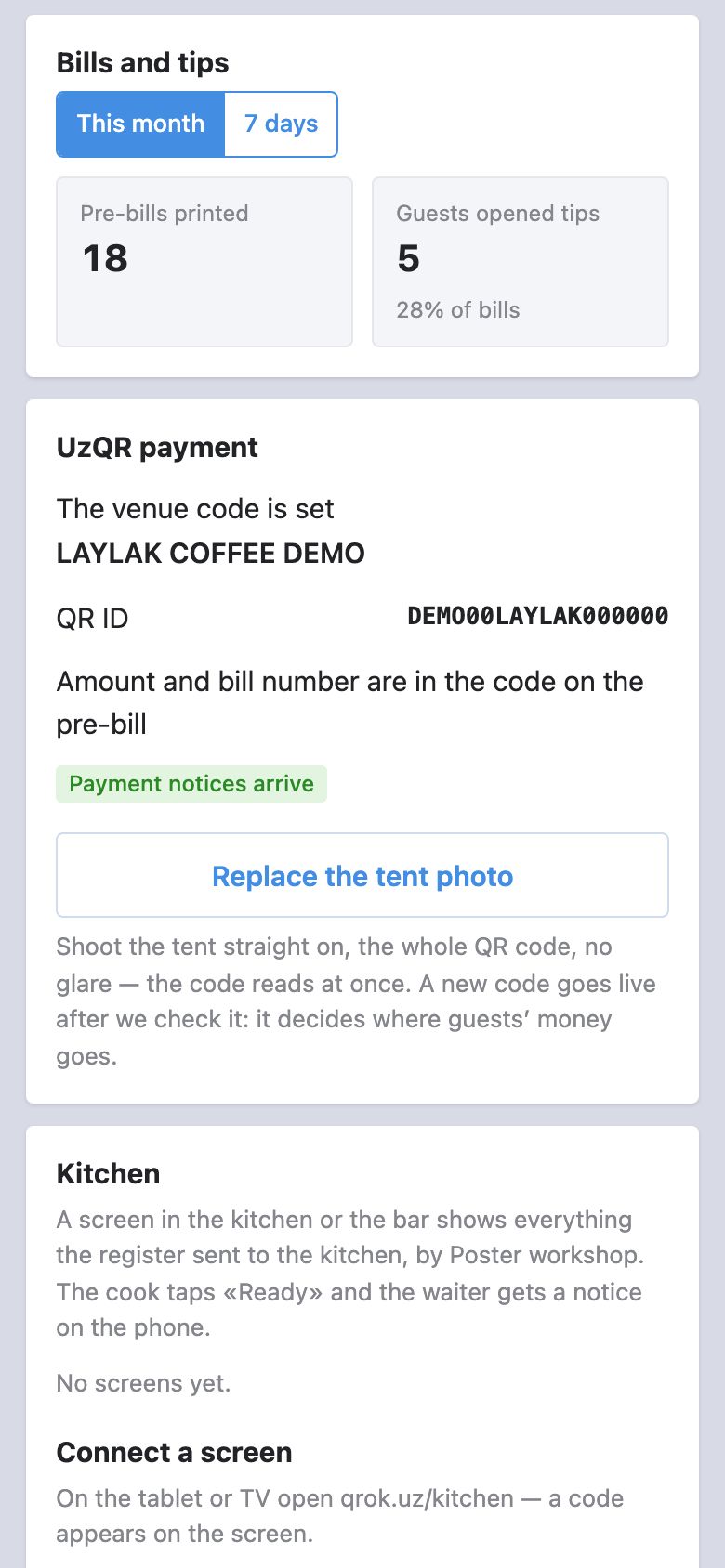
The cabinet’s menu opens analytics for today, yesterday, a week or a month: orders, revenue, the average bill, peak hours, waiters and the most popular dishes. A section of its own follows the way to a tip: how many orders went out with our code, how many guests scanned it and tapped «Pay». The transfers themselves we do not see: they go straight from the guest’s card to the waiter’s.
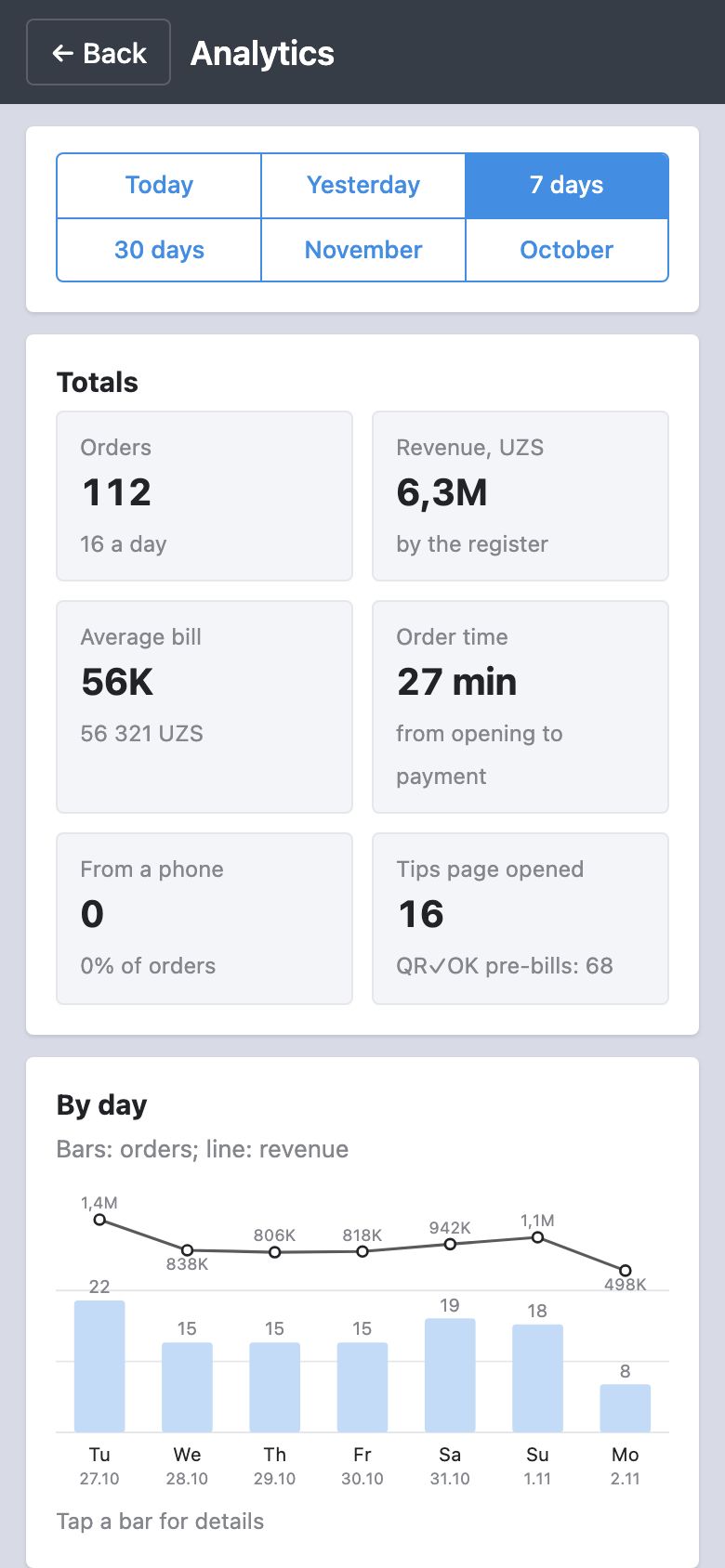
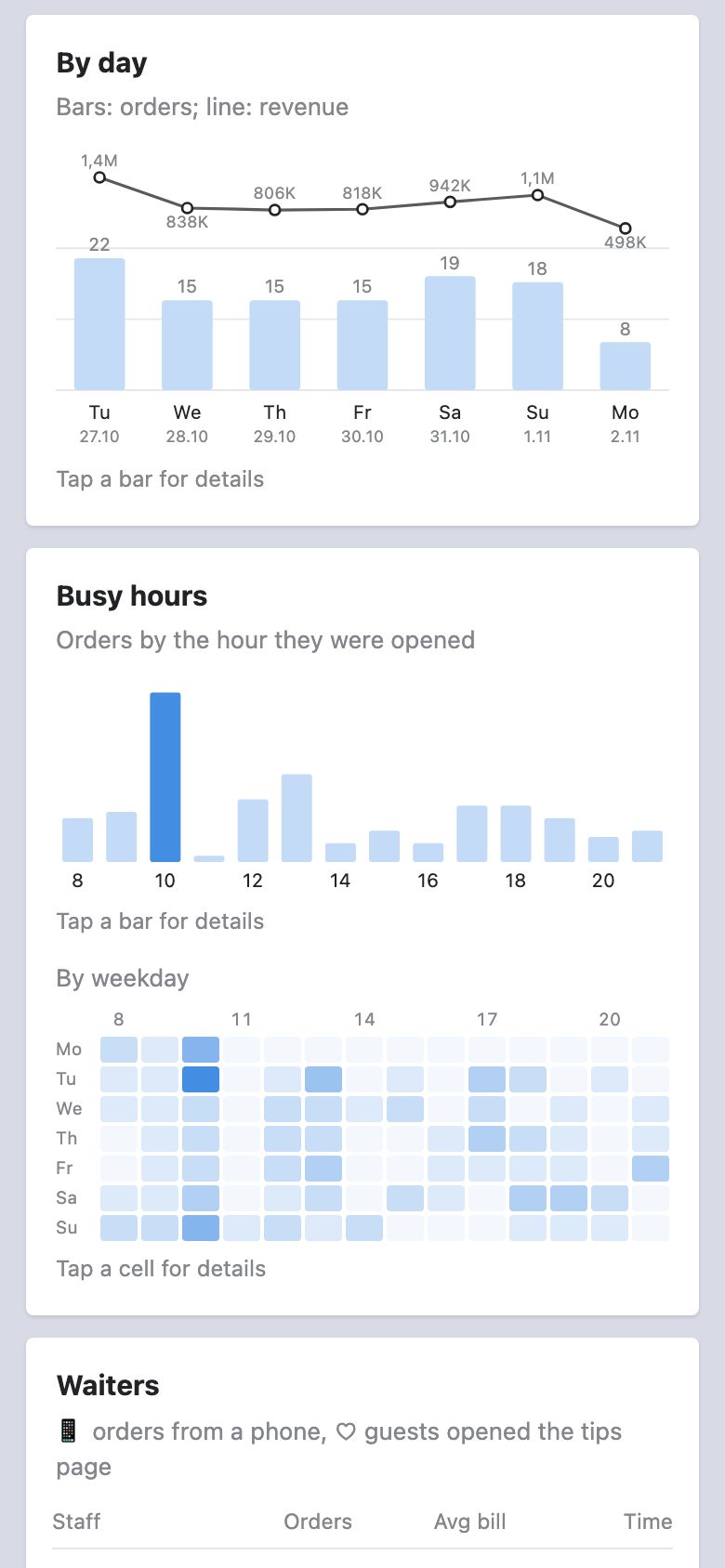
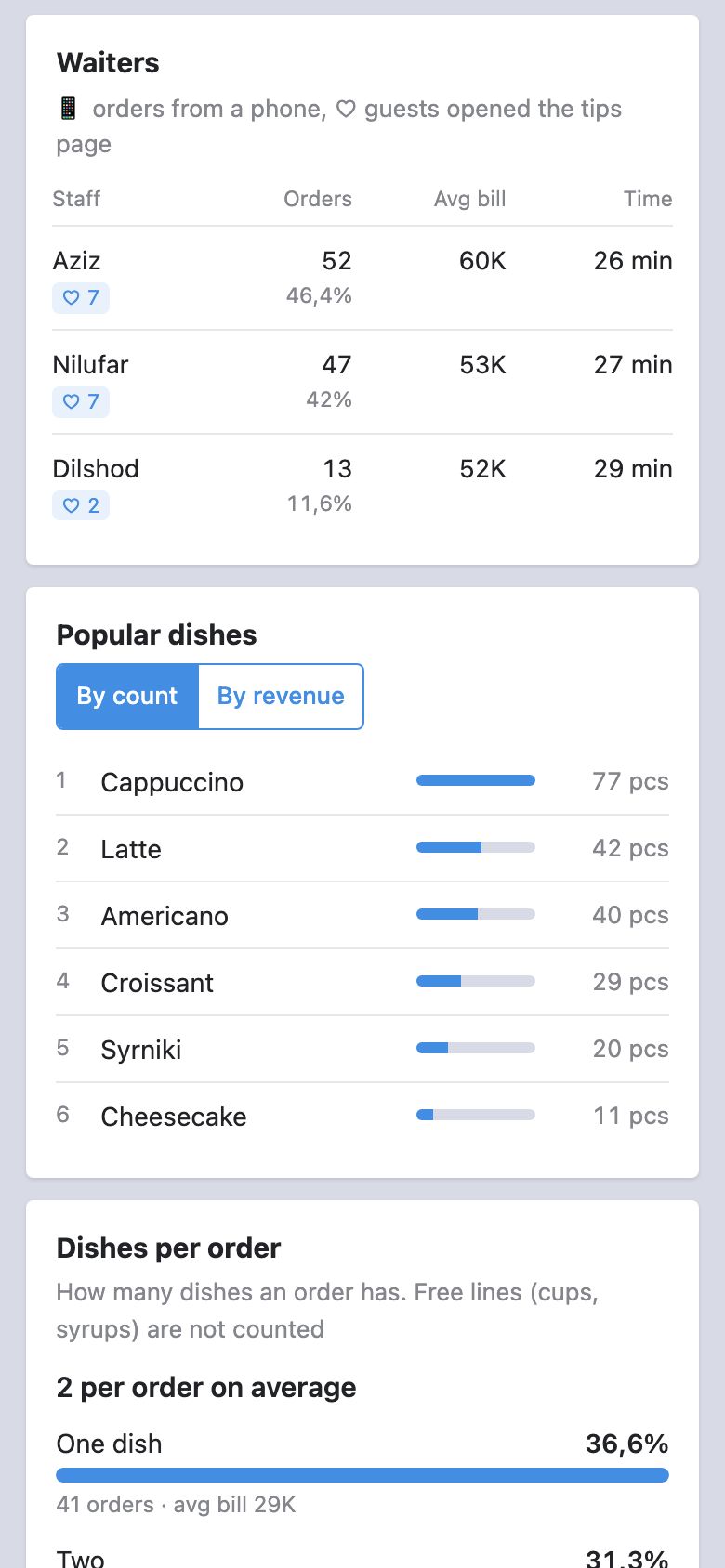
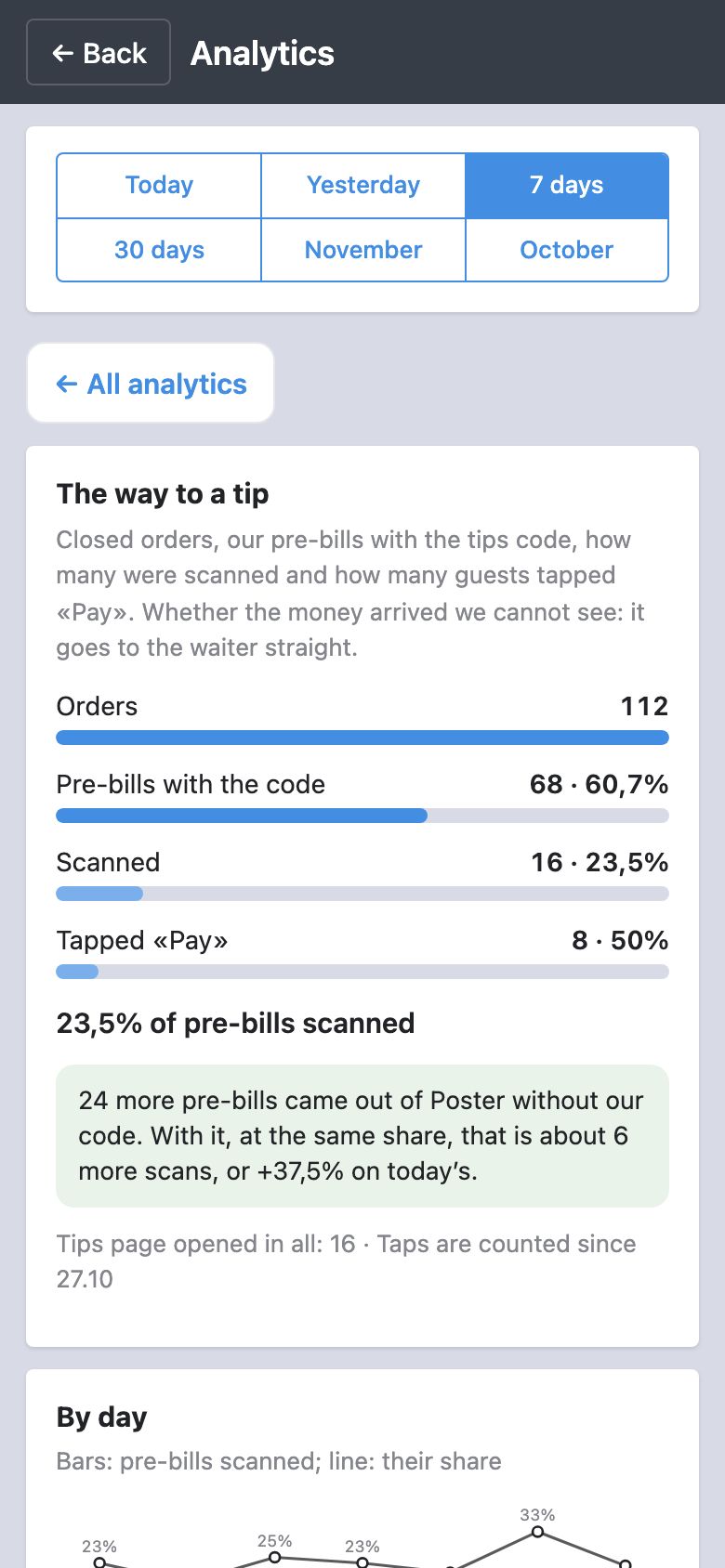
On Poster the analytics are built from the register’s closed orders, on iiko and r_keeper from our pre-bills.
Laylak Coffee, the waiter, the payment code, the waiter's card and the numbers in the cabinets are made up: no money goes anywhere, no review is sent. The pages themselves are real — the same ones connected venues use.
Connecting takes from a few minutes on Poster to one visit by the integrator on iiko and r_keeper. Each point pays nothing for the month in which its first pre-bill is printed and for the whole of the next month.