A guest gets your venue's card in a minute — in Telegram, and from there in Apple Wallet or Google Wallet. The waiter or the cashier scans it on the order, bonuses come back from every payment and are spent next time right in Poster. No plastic, no app of your own, no manual bookkeeping.
What the guest sees
A card in a minute. The guest points the camera at a QR code — on the waiter's phone or a table tent — and gets the card in the Telegram bot @qrokuzbot. Telegram itself confirms the phone number; the guest types their name.
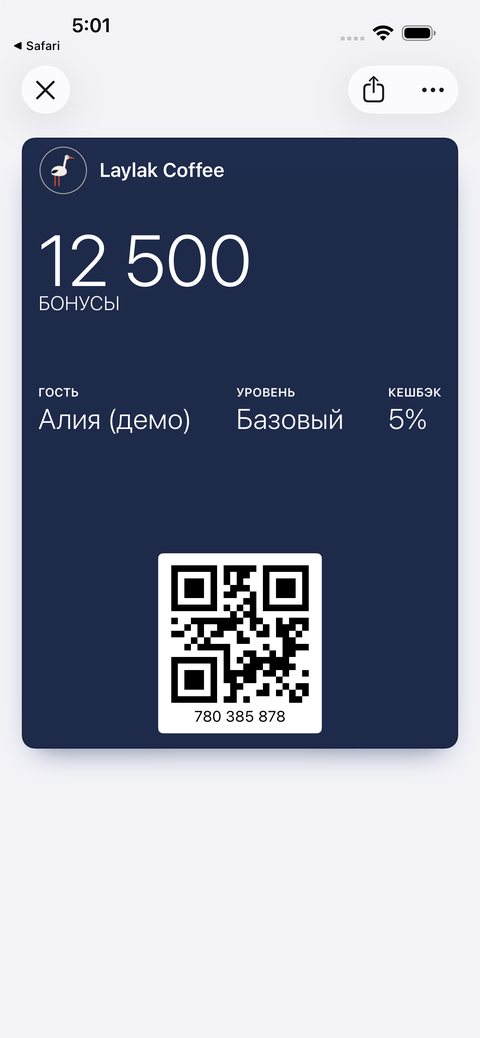
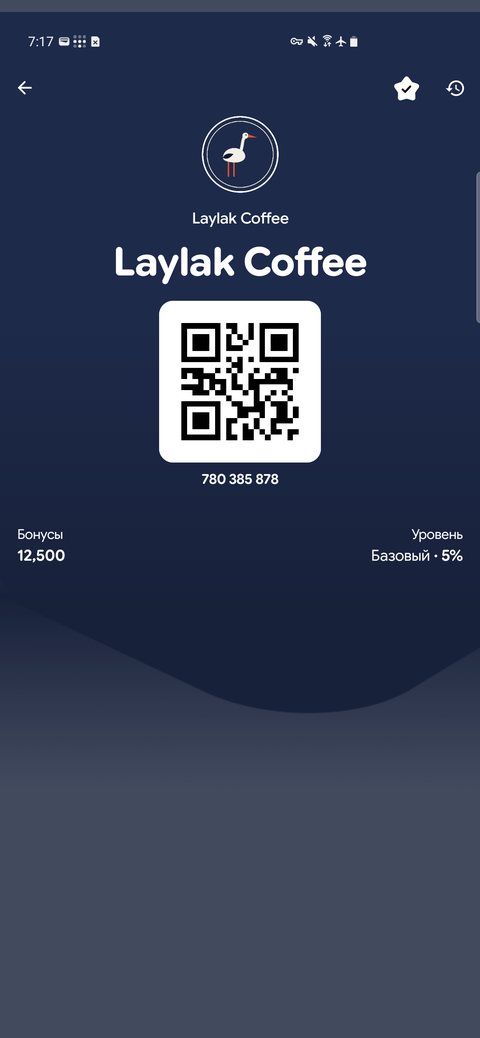
The card on the phone. One tap adds it to Apple Wallet or Google Wallet: the venue's logo and color, the balance, the level and a QR code. The balance updates by itself after every payment.
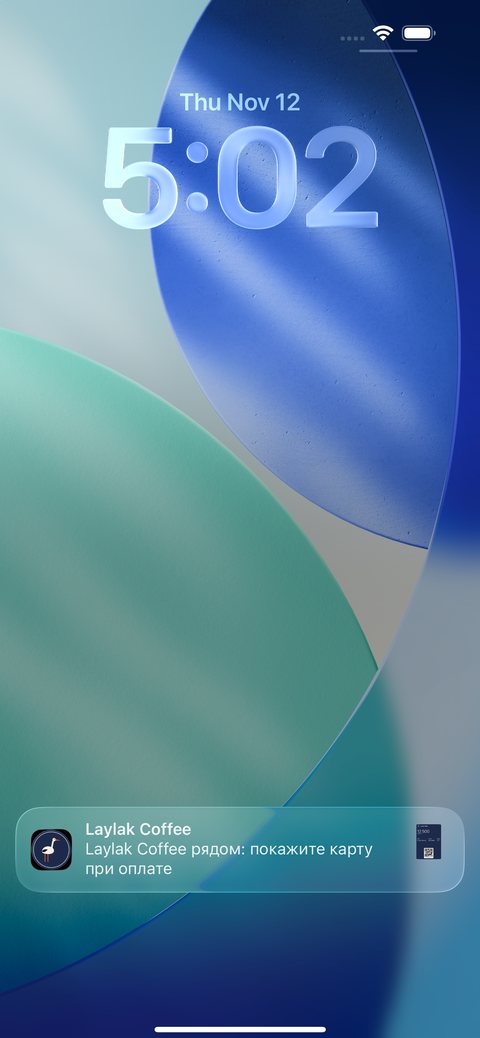
A reminder near the venue. Near the venue an iPhone may show the card on the lock screen: "Laylak Coffee is nearby: show your card when paying", and Google Wallet on Android may send a notice: "At Laylak Coffee?".
Clear rules. The card's page shows the bonuses, what is left to the next level, the history and the venues' addresses — in Russian, Uzbek and English.
Apple Wallet. Balance, level and QR code, always at hand (shown in Russian).
Google Wallet. The same card on Android.
Near the venue. A suggestion on the iPhone lock screen.
At the venue
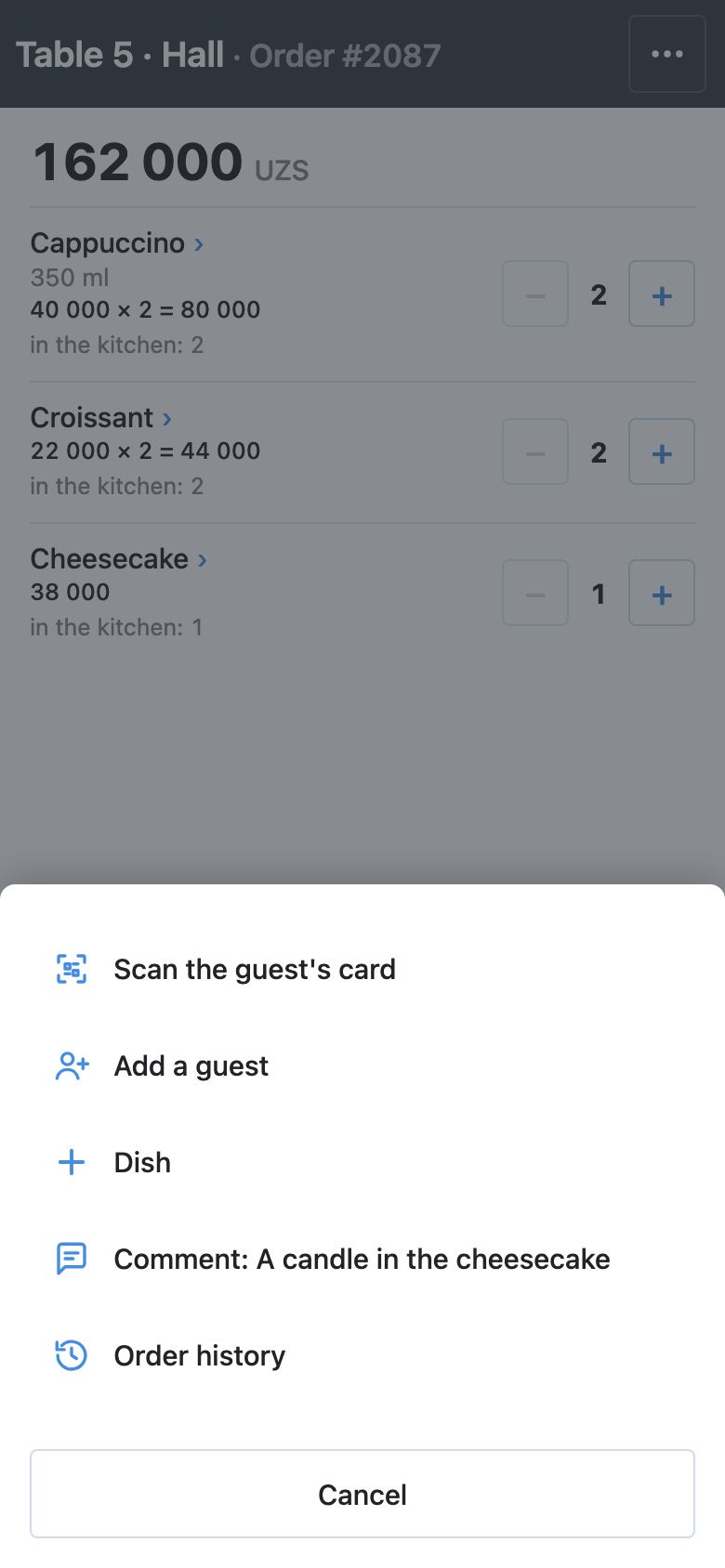
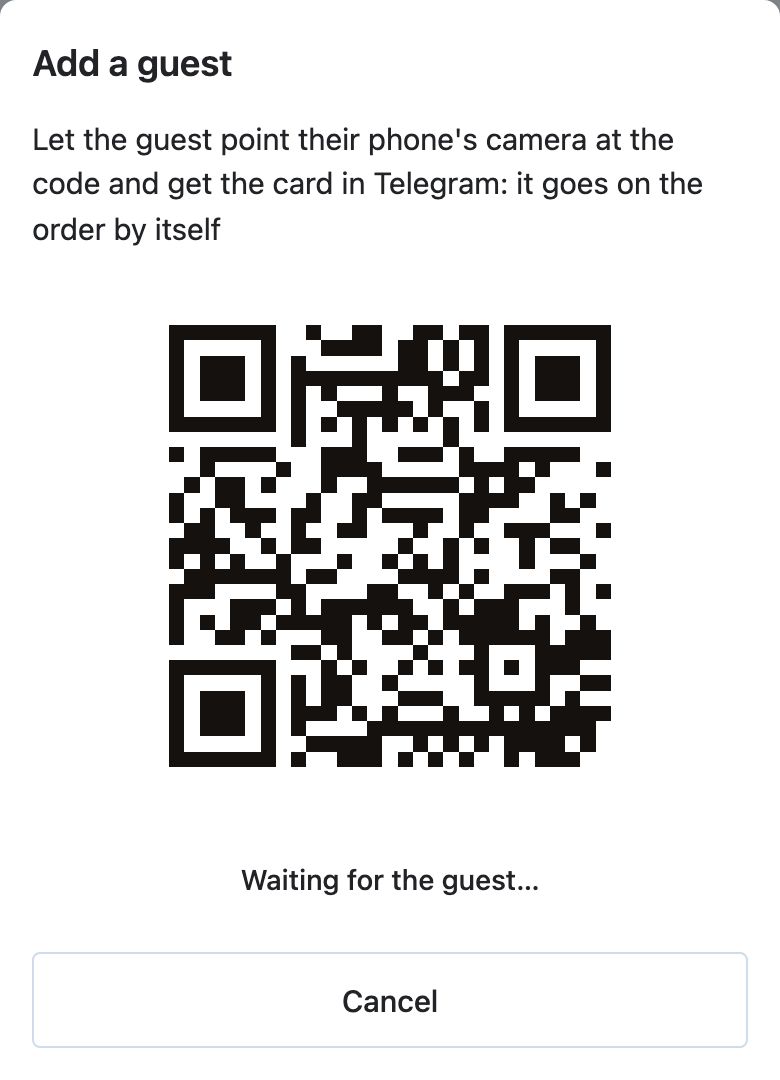
The card on the order. In the «Orders» app the waiter taps «⋯» → «Scan the guest's card», or, if there is no card yet, «Add a guest» — the guest joins from their own phone and the card attaches to the order by itself. At a counter, turn on «Ask for the card at payment» and the cashier scans it.
Save or spend. If the card has bonuses, the waiter asks the guest. On «Spend» the Poster register takes the bonuses off the bill itself — no more than the limit the manager set.
Earned after payment. Bonuses come from what the guest paid in money, tips excluded. If the receipt is returned at the register, what was earned and spent on it is canceled.
One card for a chain. Bonuses are earned and spent at every point of the program.
«⋯» on the order: scan a card or add a guest.No card — the guest scans the code and joins.
The manager's settings
The program is set up in the manager's cabinet in Telegram, in «Loyalty».
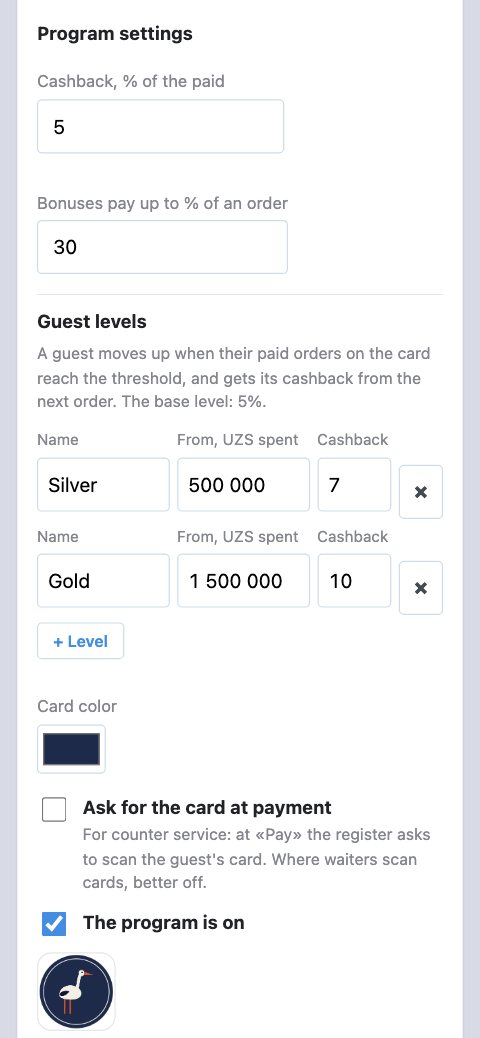
Cashback or stamps. The share paid back in bonuses and the limit of an order bonuses can pay. Or stamps: a stamp for every coffee of the chosen categories, every Nth one free.
Guest levels. For example, «Silver» — 7% from 500,000 UZS of purchases, «Gold» — 10% from 1,500,000 UZS. The guest sees what is left to the next level.
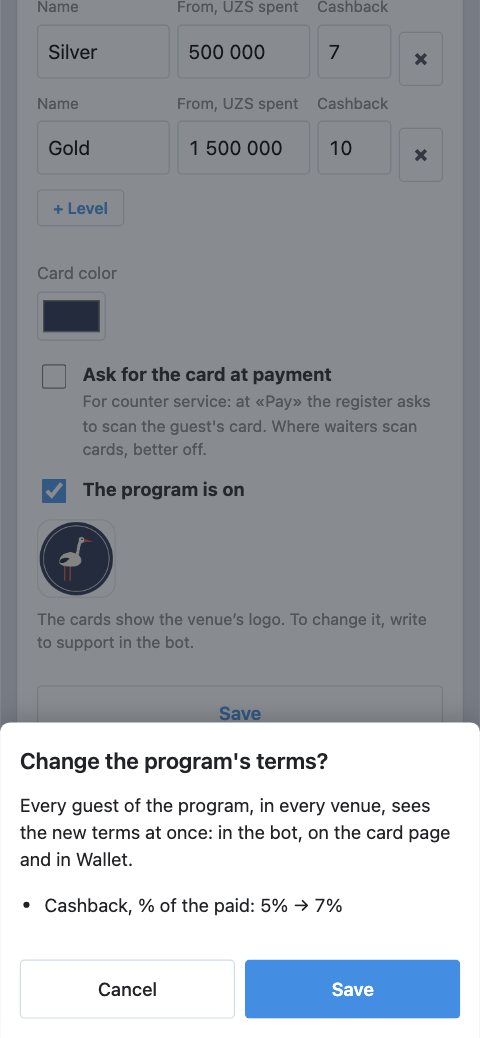
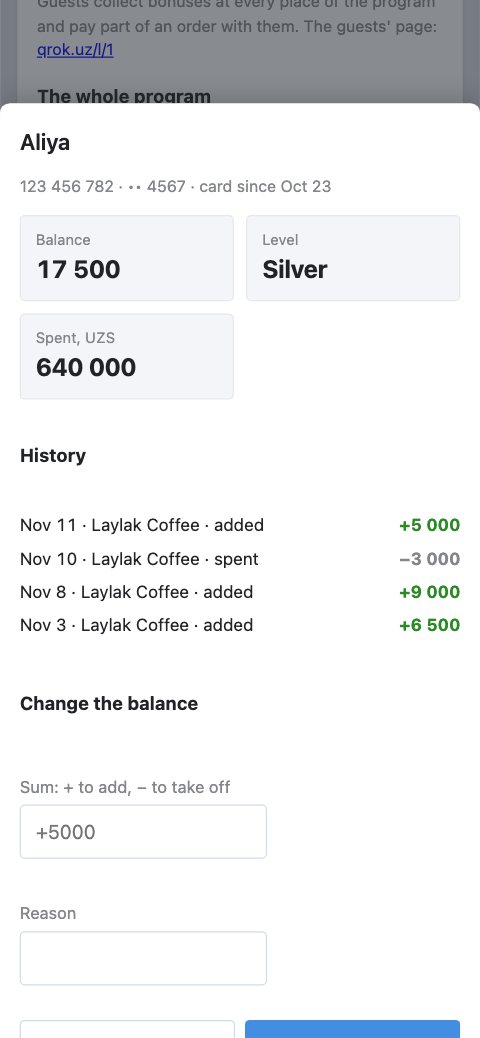
Everything is confirmed. Before new terms are saved, the cabinet shows what was and what will be. A guest's balance is changed by hand only with a reason — and also after a confirmation.
Numbers. Cards, new in 30 days, earned, spent, bonuses on cards. A branch manager sees their point, a chain manager the whole program.
Settings. Cashback, limit, levels, card color.
Confirmation. What was and what will be, before saving.
The guest's card. History and a balance change with a reason.
Pricing
Loyalty program240,000 UZSper point a monthYou pay only for a month in which bonuses were earned or spent on guests' cards. No share of turnover, no fee per card. An add-on for venues on Poster to the «Tips+» or «Poster+» plan.
The free period is the same as for the whole service: the month of the first pre-bill and the whole next one. Full terms are in the offer.
Getting started
Connect QR✓OK on Poster — step by step, about 10 minutes. Already connected — go to the next step.
Write to us at @qrokuzbot "We want the loyalty program" — we turn it on and send the link for guests.
Confirm the app's access to Poster's clients: guest cards appear in Poster as clients. It is done once in the Poster account; we will show where.
Set the terms in the manager's cabinet and put the join QR code on the tables or the counter — we send it too.
No. The card lives in Telegram and is added to Apple Wallet or Google Wallet with one button. The waiter scans the card with their own phone, no separate scanner needed.
What if a guest changes phones or loses the card?
The card is always in the bot @qrokuzbot: «Start», and it is back on the screen with the same history. The guest can also delete the card themselves with the message «Delete my card».
Are bonuses money?
No. Bonuses and stamps are the venue's discount for its guests and cannot be exchanged for money. Guests' money goes to the venue's bank; we never hold it.
What guest data do you keep?
Name, phone, Telegram, card number and bonus history — only for this venue's program. The guest accepts the rules before the card is issued. Details are in the privacy policy.
Does it work on iiko or r_keeper?
For now only on Poster. If you are on another POS and want the program, leave a request.
 QR✓OK
Connect your venueConnect