QR✓OK
Connect your venueConnect
QR✓OK
Connect your venueConnect
Help › For managers › Tips in Poster › From team to personal
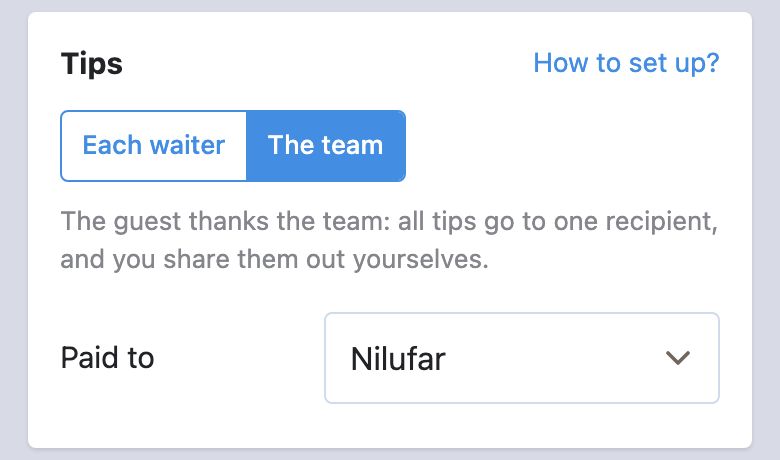
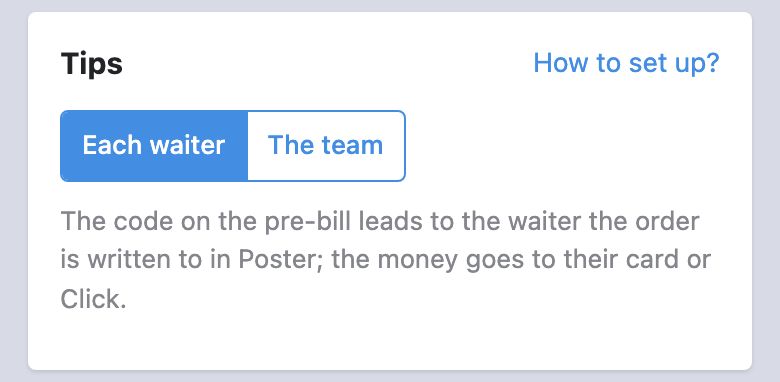
Today every pre-bill carries one team code and all tips reach one person. After the move the code on the pre-bill leads to the waiter themselves, and the money goes straight to their card or Click. The order is: add the waiters in Poster, connect them to the bot, and only once everyone has given a card — switch the mode. Until the switch everything works as before. Poster's menus are in Russian, as on the screenshots.
Tips go to the waiter the order is written to, and an order is written to whoever works at the register under their PIN code, so each waiter needs a card of their own in Poster.
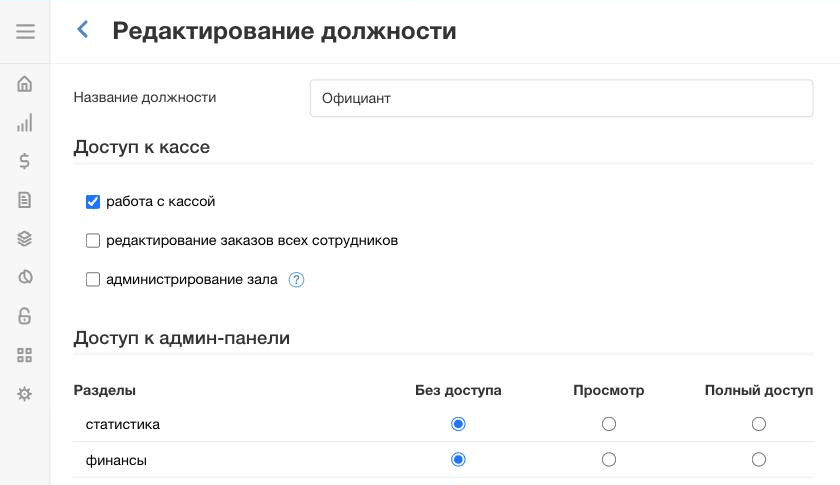
Quicker — straight from the bot. The manager's page → «Add a waiter»: name and phone. We create them in Poster as «Официант» with a PIN of their own, show you the PIN and send the waiter an SMS with a link to the bot. A forgotten PIN is replaced there with «New PIN». Then the steps below are not needed.
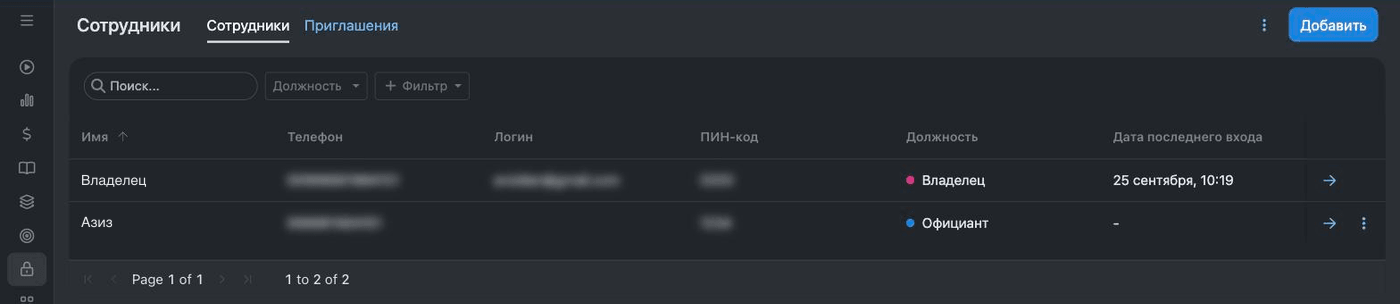
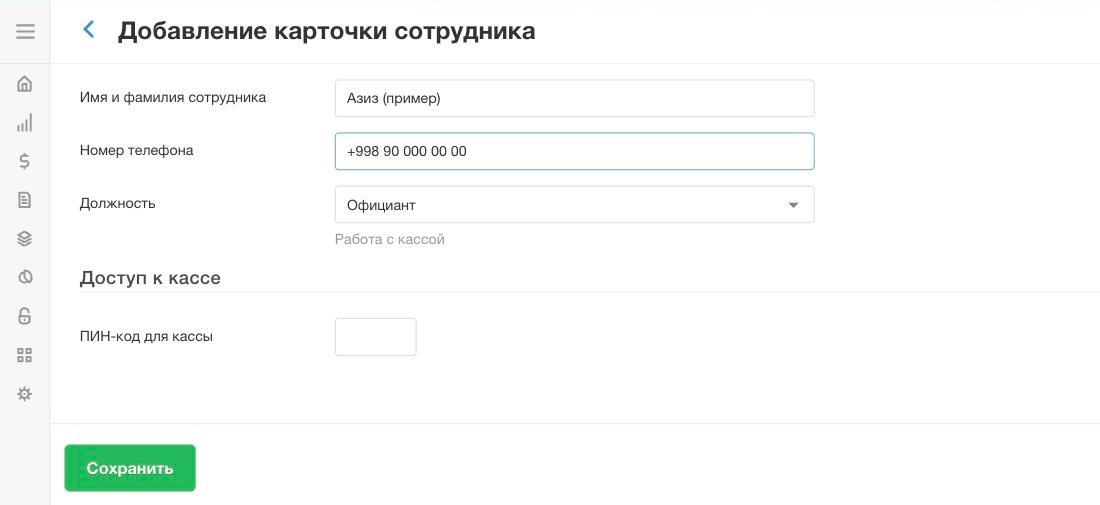
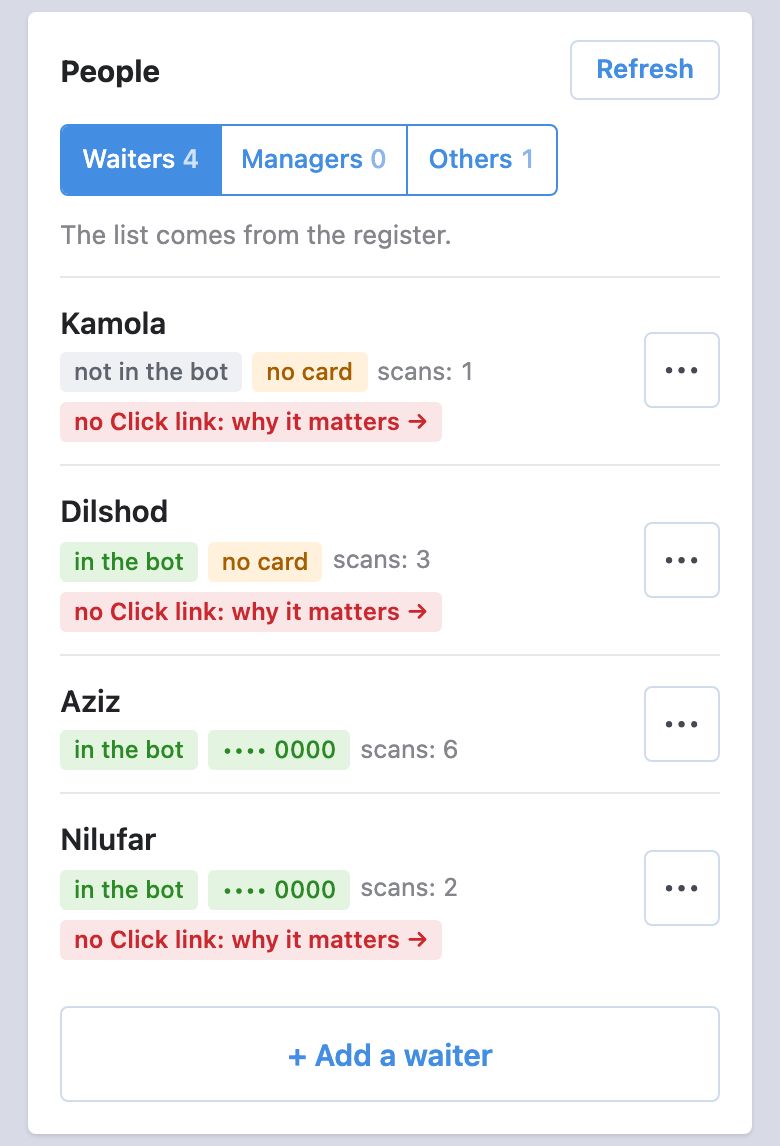
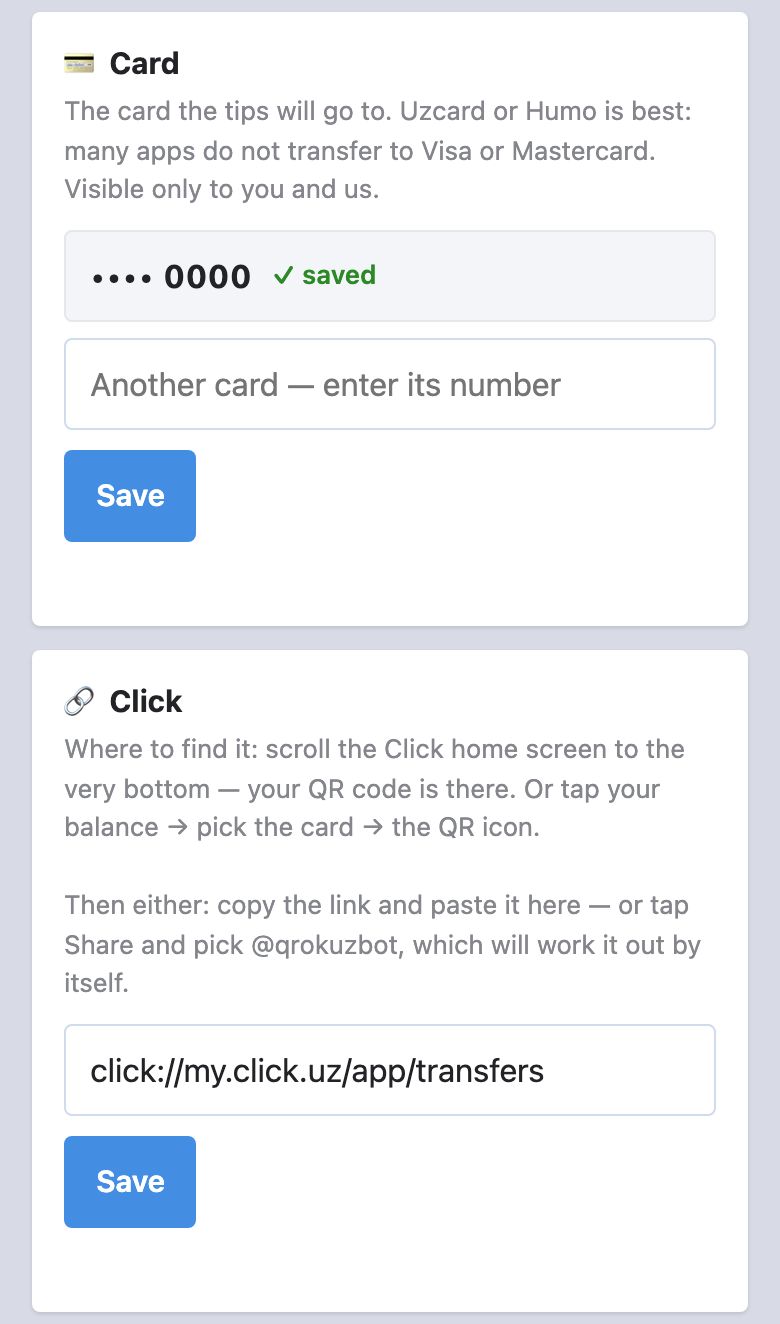
The money goes to the card or Click link each waiter gives in the bot @qrokuzbot.
The tips code leads to the waiter the order is written to in Poster, whoever prints the pre-bill. So everyone signs in at the register with their own PIN and opens orders for themselves, and when a table moves to a colleague — «•••» → «Изменить официанта» (change waiter) in the order.
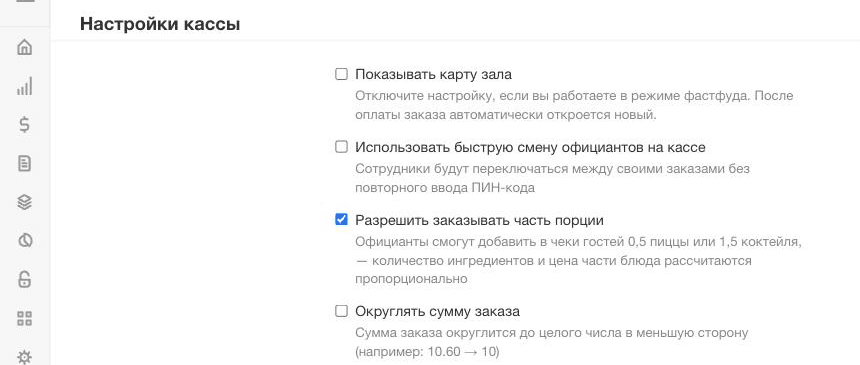
One Poster setting: turn off quick waiter switching — Настройки → Общие → «Настройки кассы» → untick «Использовать быструю смену официантов на кассе». With it, waiters switch without a PIN, and an order is easily opened under someone else's name.